
Two tools, one promise
Record the conversation. Birdie writes it up inside the record, and nothing is saved until you've confirmed it.
SmartPlans
SmartPlans turns a recorded first assessment into a care plan, with each answer cited back to what was actually said.
Care plan answers waiting when you open the assessment
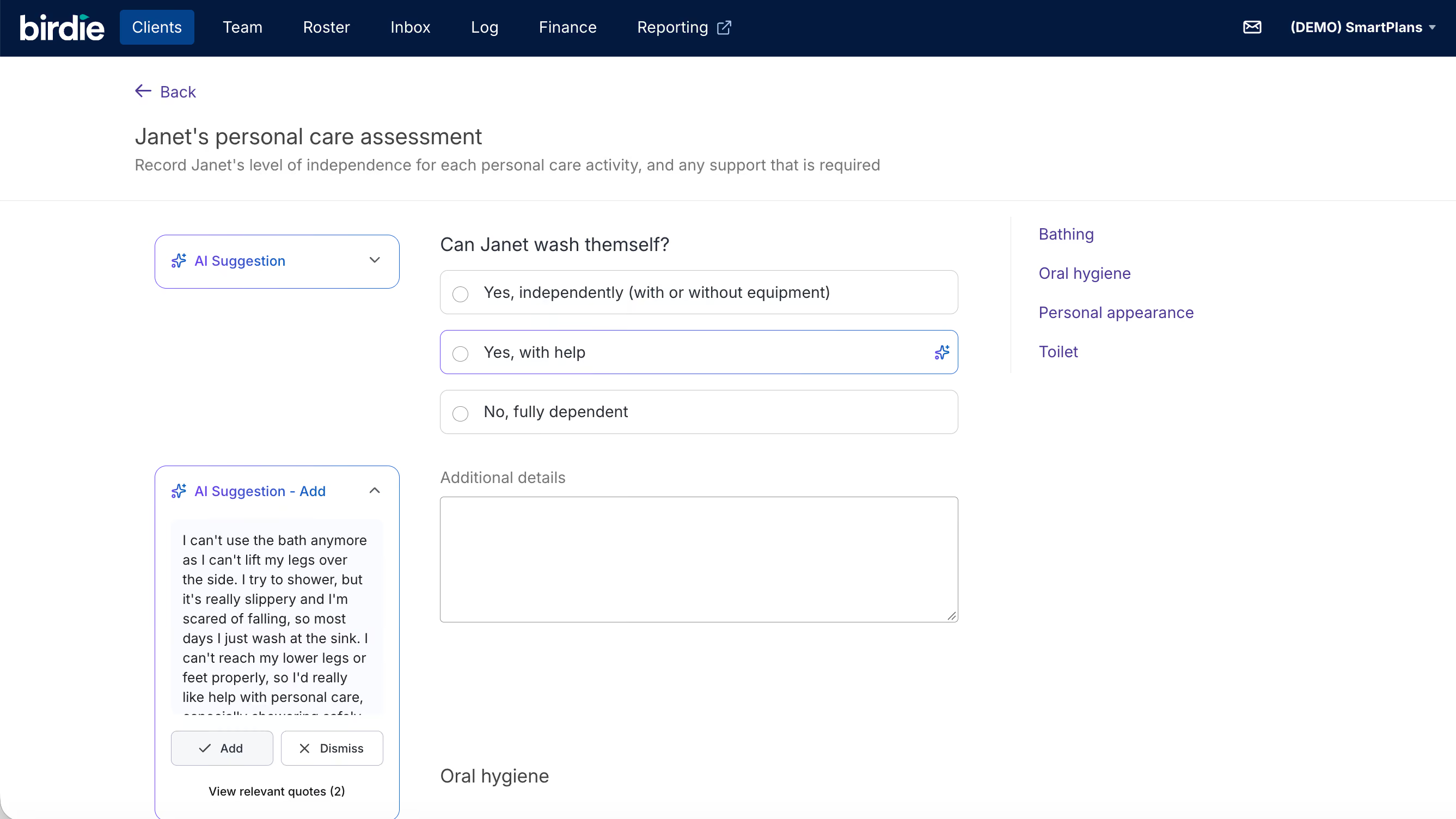
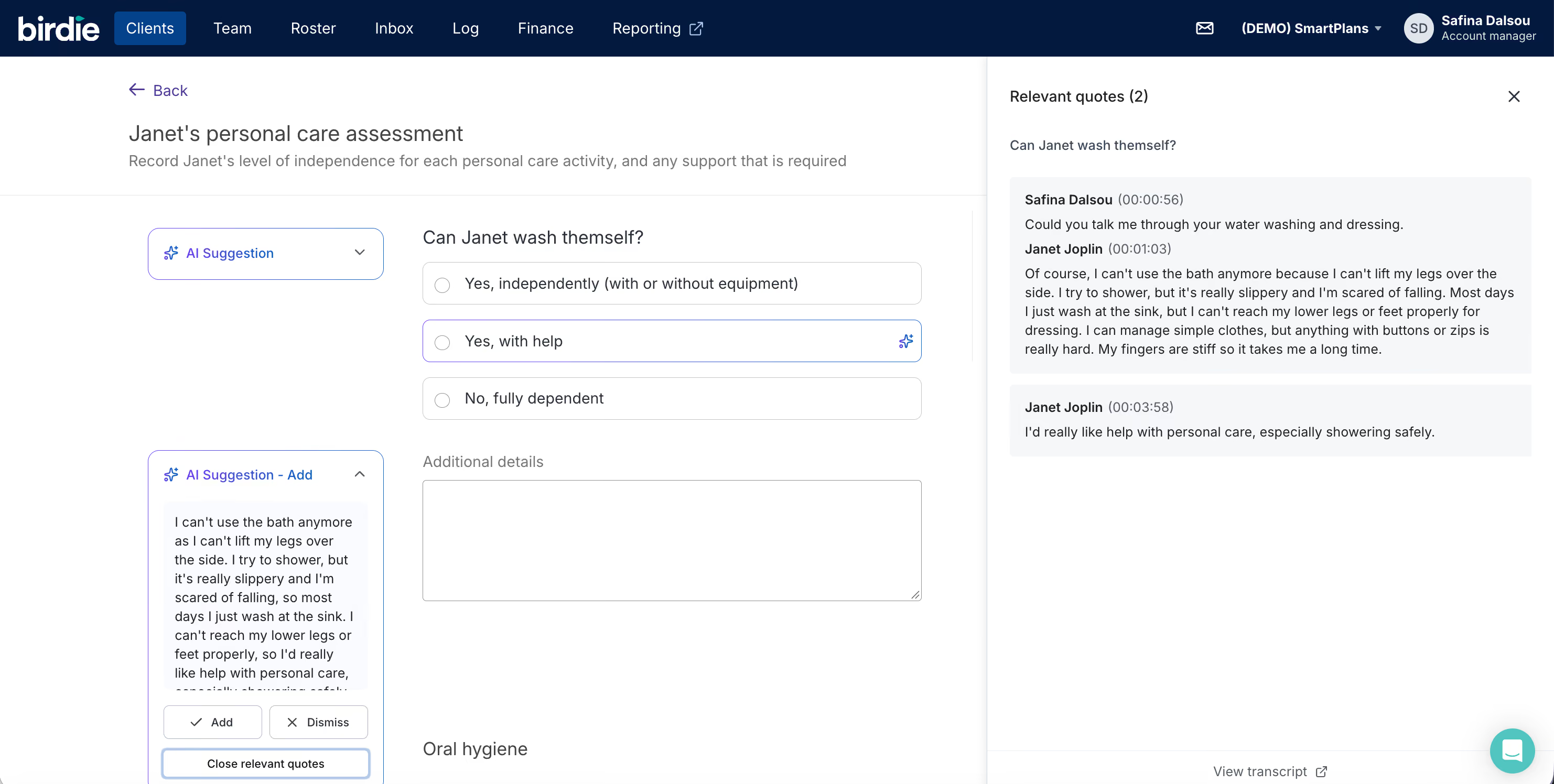
Each answer cited to what the person said
High-risk clinical questions are always yours to write
You confirm every answer before it's saved
Works in the Birdie app your team already uses
SmartMeetings
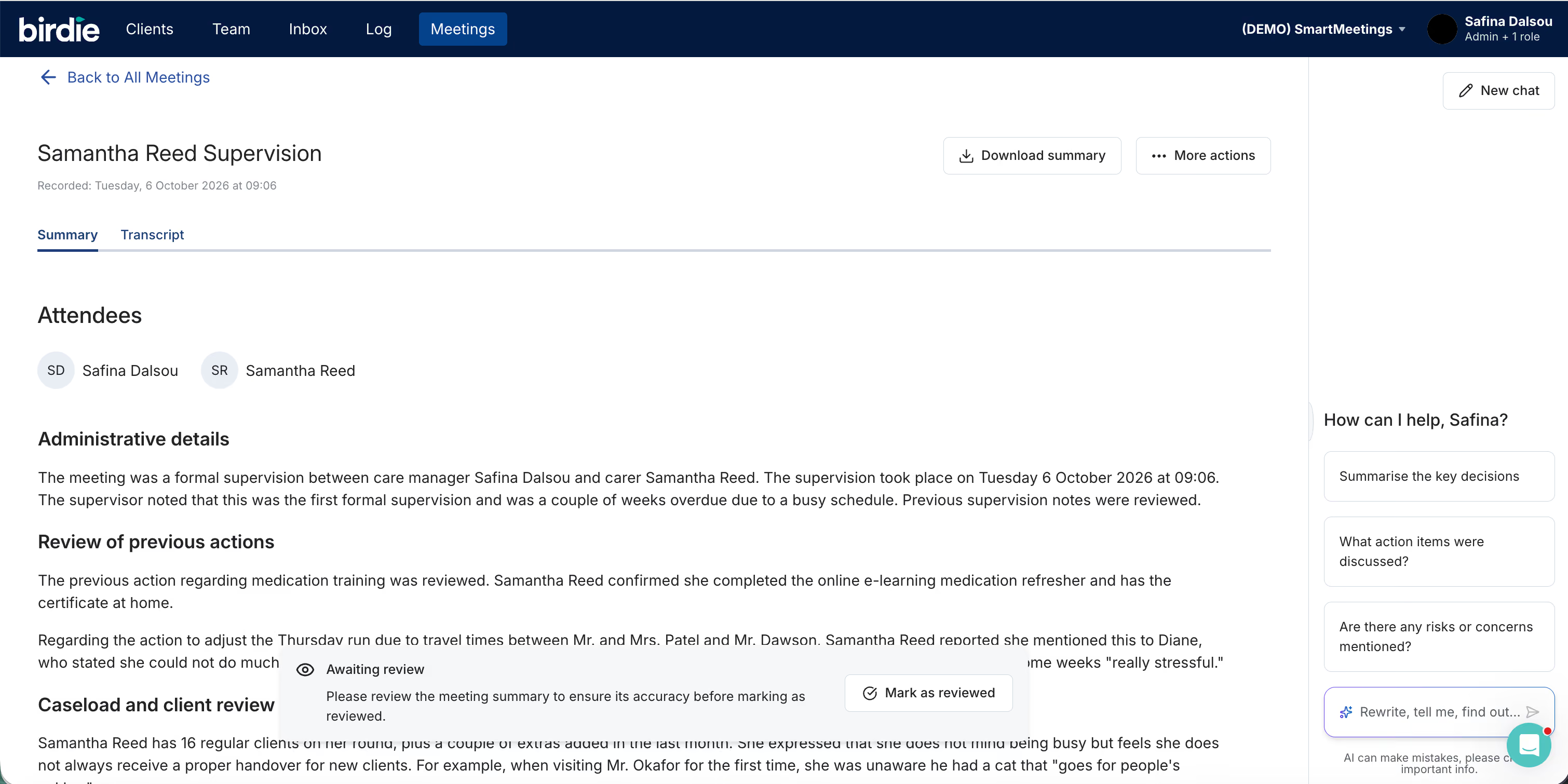
SmartMeetings turns a recorded supervision, appraisal, spot check or huddle into a structured summary with actions that land straight in your Birdie Inbox.
Supervisions, appraisals, spot checks and huddles
A summary written for that type of meeting
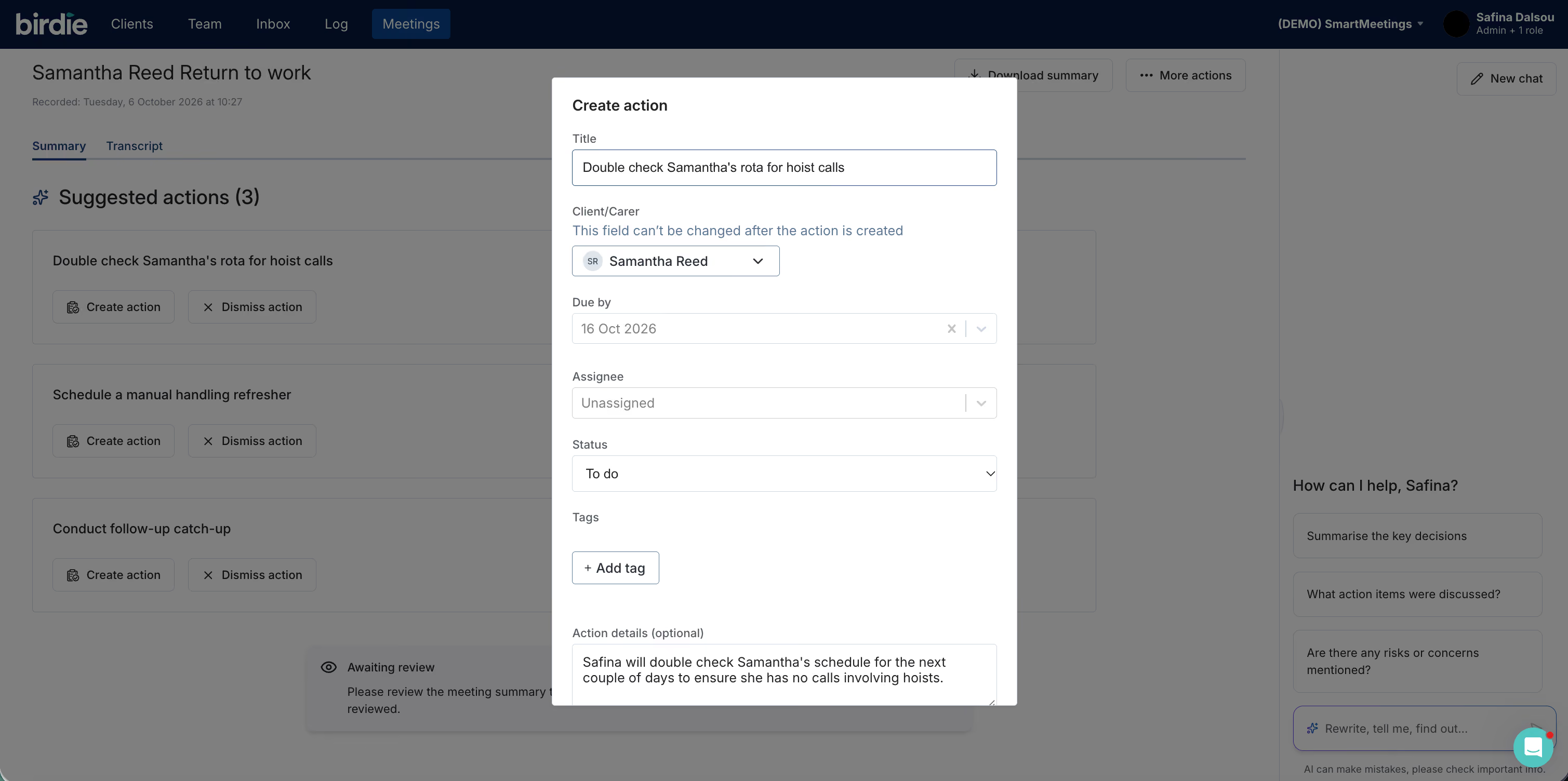
Confirmed actions land in your Birdie Inbox with a due date
A record an inspector can trace end to end
Reviewer timestamp and version history on every meeting

From conversation to care plan in minutes, not hours.
Record the conversation. Birdie writes it up inside the record, and nothing is saved until you've confirmed it.
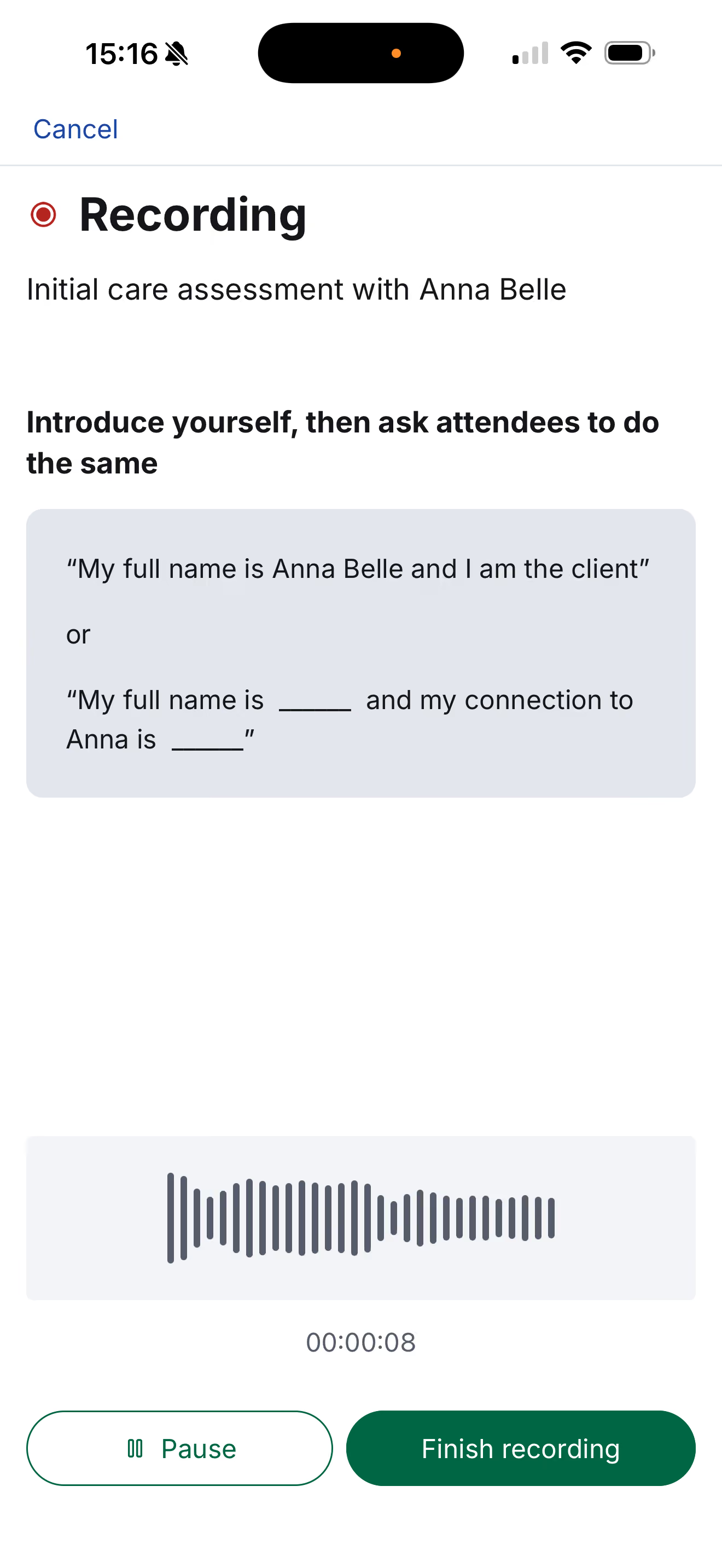

Run your assessment as normal
Press record and have the conversation the way you always do. No note taking and you can focus entirely on the person in front of you.

SmartPlans suggests your answers
SmartPlans matches what was said to the right questions in the care plan. The full audio and transcript wait on the person's record, so you can play back any detail.

Turn meetings into action.
Press record in Birdie and run the meeting as you always do. SmartMeetings writes a structured summary and suggests the follow-up actions.
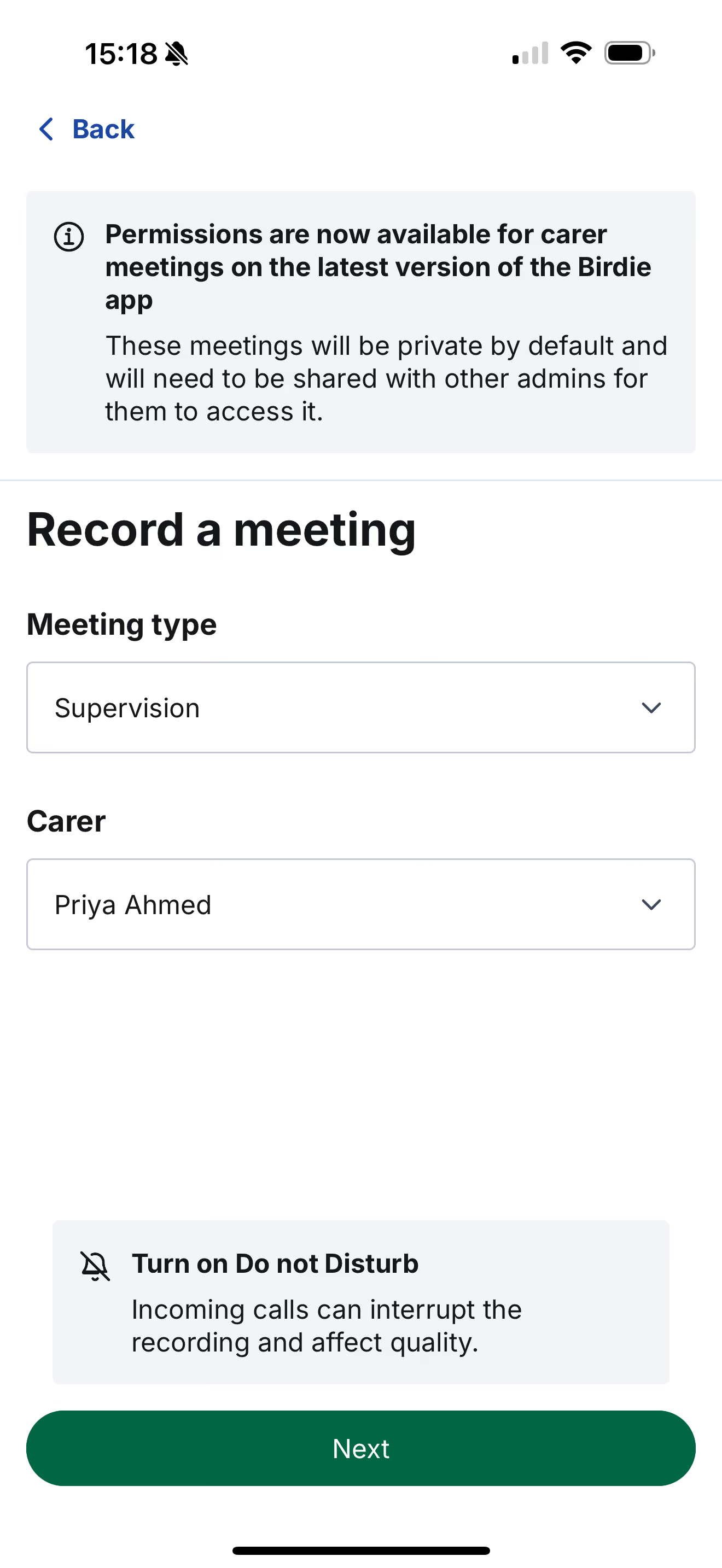
Hold your meeting as normal
Choose the meeting type in the Birdie app, check everyone is happy to be recorded and press record.
Review the summary
The full transcript and a summary set out for that type of meeting wait in the Meetings tab. Edit anything you need, then mark it as reviewed. Every change is kept in the version history.
Hear from our SmartPlans users

"The AI picked up all the details, so I could be fully engaged and focus on my client's needs. She loved the whole experience, saying there was 'no way she would go with any other company' after the visit."

"It's definitely doubled our efficiency. We had 20 care plans done in a week using SmartPlans - which wouldn't have been possible before."

"SmartMeetings is absolutely brilliant. The transcriptions are professional and accurate, and the summaries are short and include exactly what I need. I've recorded nine meetings this month and it's saving me somewhere between 30 and 45 minutes on each one."


Simple, transparent pricing
One pool of hours, across every assessment and meeting. **Start with 3 free hours** - no commitment, no card required.
Your free hours are enough for 2–3 full assessments or meetings, so you can see the difference before you spend anything.
After your free trial, SmartTools runs on a simple pay-as-you-go model: £3.50 per recording hour, billed at the end of each month. You only ever pay for what you use.
If your team runs a lot of assessments, ask your Customer Success Manager about our subscription plans - you'll get a lower hourly rate in exchange for a monthly minimum.


Start your free trial
Fill in the form below and your customer success manager will be in touch shortly to confirm your details and send you a quote to sign.
Documents you should read
Your quote will be on these terms. You can read them now:
- Birdie Terms and Conditions (including the SmartTools Module)
- SmartTools Service Schedules
- SmartTools Free Trial Terms
- Data Processing Agreement
- Acceptable Use Policy
- Acceptable Partner Behaviour Policy
Please also see our Privacy Notice.
About your SmartTools free trial
SmartTools is available to businesses only. Submitting this form doesn't sign you up to anything. It tells us you're interested. Your customer success manager will confirm your billing contact and send you a quote. Your plan and your trial start when the quote is signed by someone with authority to sign for your organisation.
Each eligible branch gets 3 free SmartCredits. One SmartCredit is one hour of recording, used automatically across SmartPlans and SmartMeetings in any mix, before anything is charged. Free SmartCredits are for branches that haven't used SmartPlans before, one trial per branch, and can't be moved between branches. Subscription plans don't include free SmartCredits. Your trial is subject to the SmartTools Free Trial Terms.
When charging starts
Your free trial ends when your free SmartCredits run out, or 60 days after your trial starts, whichever comes first. From then on, every SmartCredit you use is charged at the rate below. There's no separate reminder that your trial has ended, so please keep an eye on your usage. Any free SmartCredits left at the end of your trial expire.
If you don't want to carry on with SmartTools, cancel before your trial ends (see How to cancel during your free trial, below).
Pricing
After your trial ends, you'll pay £3.50 per SmartCredit (excluding VAT), invoiced monthly in arrears. Usage is added up across SmartPlans and SmartMeetings each month and rounded up to the nearest 0.1 of an hour.
If you'd prefer predictable monthly costs, a subscription plan gives you a lower price per SmartCredit in return for a monthly commitment, usable across every SmartTool. Talk to your Customer Success Manager or email support@birdie.care if you're interested.
How to cancel during your free trial
To cancel before your trial ends:
- Email support@birdie.care from an authorised account contact, with the subject line "Cancel SmartTools trial" and your account or quote reference.
- We'll acknowledge your email within one business day, and your cancellation takes effect when we do.
You won't pay anything for a branch cancelled before its trial ends.
How to cancel the paid plan
The notice you need to give is set out in our Terms and Conditions. Cancelling SmartTools doesn't cancel your main Birdie subscription, and your notice needs to name SmartTools if that's what you want to end.
Concerns, complaints and contact
For any questions, concerns or complaints about SmartTools, please contact us at: support@birdie.care.
For any questions, concerns or complaints relating to data protection, please email dpo@birdie.care.
Frequently asked questions
Isn't AI too risky for clinical assessments?

That's why we built SmartTools the way we did. For high-risk questions in SmartPlans, you write the answers yourself. For complex judgements, SmartPlans highlights relevant quotes, but you write the answer. Only standard, lower-risk questions get an AI suggestion. Across SmartPlans and SmartMeetings, you review and confirm every single answer and action. You're always in control, and you can edit anything you want.
We already use another transcription tool.
How does SmartPlans compare?
We've heard that with standalone tools, you save time recording but then spend it searching and copy-pasting into Birdie. SmartTools solves this: it's built directly into your workflow, and the whole team can access assessment transcripts, which isn't always possible with other systems.
What about data privacy and GDPR?
SmartTools is built in line with the principles of data protection and privacy by design. All data is held securely, and in line with the UK GDPR.
What will the CQC think of this?
SmartPlans is designed to support CQC compliance. It feeds directly into Birdie's assessment templates, which are built to align with CQC standards, with every answer cited back to the source. SmartMeetings is designed to support your CQC evidence, not replace it. Every reviewed meeting carries a reviewer name, a timestamp and a full version history, so an inspector can trace it from the conversation to the sign-off.
My team isn't confident with technology.
Will they be able to use SmartPlans?
If they can use the Birdie app, they can use SmartTools. Log in as an admin, press record at the start and stop at the end.
